How to Redeem a Google Play Gift Card (Step-by-Step)
A clear, up-to-date walkthrough of how to redeem a Google Play gift card on Android, iOS, and desktop — plus what to do if the code fails.
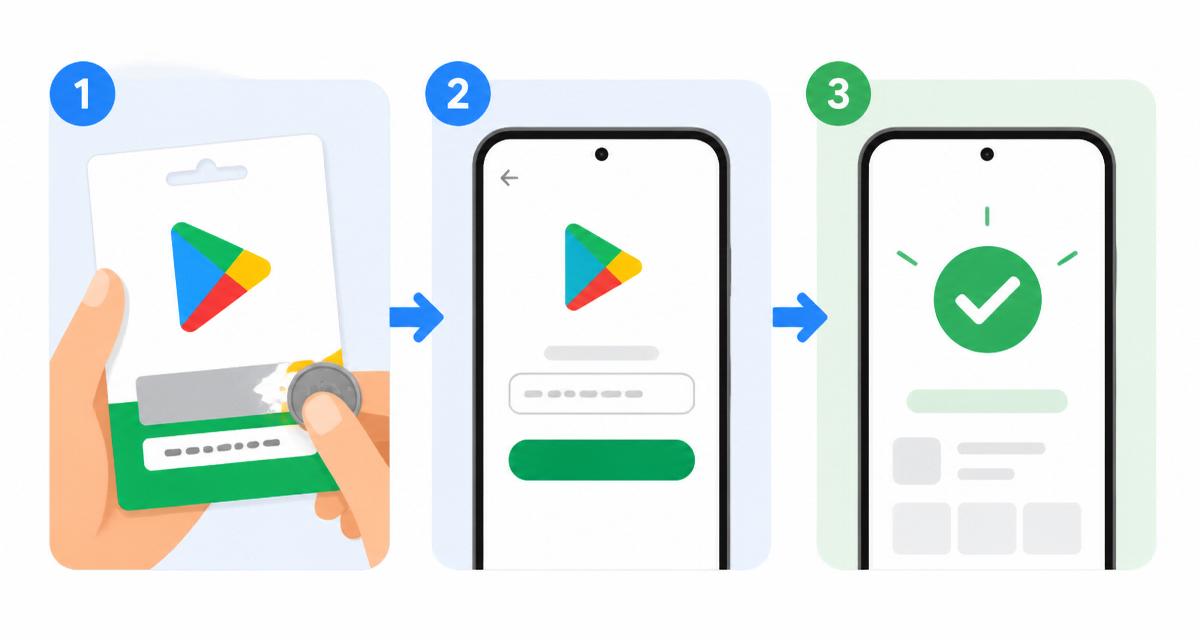
Table of contents
Google Play gift cards are one of the simplest ways to top up a Google account without a credit card. The redemption process only takes a minute, but the exact steps depend on where you are and which device you use. This guide covers every path — the Play Store app, a web browser, and the Google Play website — plus the common reasons a code is rejected and how to fix them.
Before you start
You need three things: the physical or digital gift card, an active Google account, and a device signed in to that account. The country of your Google account must match the country the gift card was issued for. A US-region card will not redeem on a UK-region account, and Google does not offer a currency conversion.
Scratch off the silver panel gently with a coin — a sharp object can damage the code underneath. If part of the code is unreadable, do not throw the card away; you can contact Google Play support with a photo of the card and the receipt.
Redeem on Android (Play Store app)
Open the Google Play Store app on your Android phone or tablet. Tap your profile picture in the top-right corner, then choose Payments & subscriptions, followed by Redeem gift code. Enter the 20-character code exactly as shown on the card. Tap Redeem and confirm.
The balance is added instantly to your Google Play credit and can be used for any purchase in the store — apps, games, in-app items, movies, books, or subscriptions. You can check your balance any time from the same Payments & subscriptions screen.
Redeem in a browser
If you do not have the Play Store app handy, go to play.google.com/redeem in any browser and sign in to the correct Google account. Type the code and confirm. This method works on iPhones, iPads, Chromebooks, Windows, and macOS.
After the code is accepted, the balance appears in your Google account and syncs to every device where you are signed in. Purchases that support Play balance will use it automatically before any other payment method.
What to do if your code will not redeem
The most common errors are region mismatch, a code that has already been redeemed, and a typo. Double-check every character — a 0 and O, or a 1 and I, are easy to confuse. If the message says the code is for a different country, you cannot redeem it on your current account; you can only gift the card to someone in the correct region.
For any other error, note the exact message, take a photo of the front and back of the card and the receipt, then contact Google Play support. Genuine cards are almost always recoverable when you have proof of purchase.
Keep your balance safe
Once redeemed, your Play balance is tied to your Google account. Protect that account with a strong password and two-step verification. If you also read our Google Account safety guide, you will cover every practical step in about ten minutes.
Ready to spend your balance? Browse our list of the best free Android games and stretch every dollar.
Read more guidesAlex writes about Android, Google Play, and consumer digital safety. Every guide on this site is researched, reviewed, and updated regularly.